 Account
 Support Us!
 Contact Us
New Interlibrary Service – August 31, 2026
Starting August 31, 2026, requesting items from other libraries in Maryland is easier than ever with SHAREit, our new resource-sharing platform.
Interlibrary service will be unavailable from August 24, 2026 to August 31, 2026.
We thank you for your patience during this disruption.
A link to the new SHAREit interlibrary service will be posted on August 31, 2026.
Check out our step-by-step guide below for instructions on signing in, searching, placing holds, and managing your requests below.
Signing in
- Click the “Patron” button when asked what type of user you are.
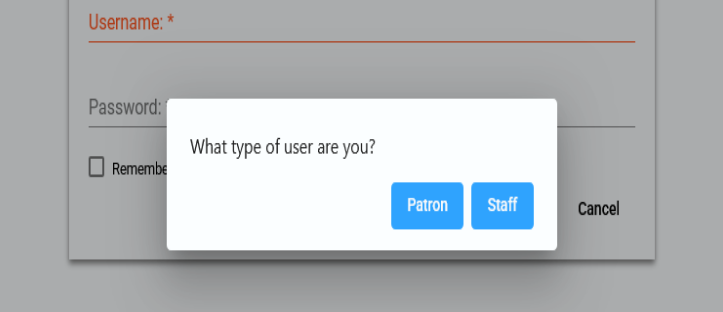
- Enter your library barcode (and PIN if required by your system) when prompted.
Tip: You can also search first and log in later — SHAREit will save your search and take you right back to your results after you sign in.
Searching for an Item
- Enter a title, author, or keyword into the search box.
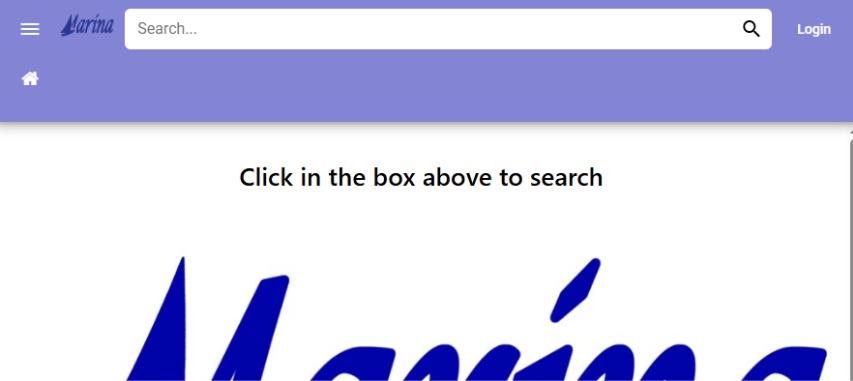
- By default, your search will look across all participating library systems, so you’ll see items available beyond your local library.
- Use the “Advanced” search option if you want to narrow your search by specific fields like author or title.
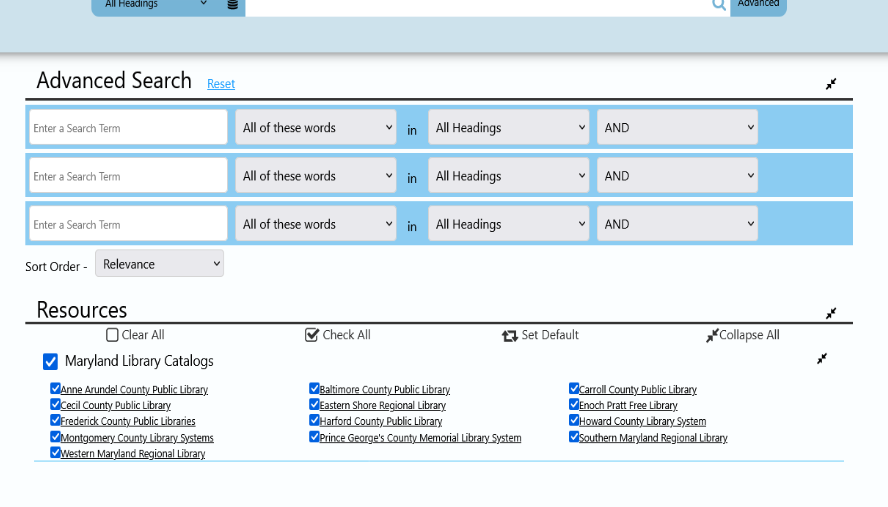
- Review your results. You can narrow the list using the filters on the left side of the screen.
Placing a Hold / Request
- Once you find the item you want, click the request icon next to the item on the results screen, or click “Request This Item” on the item’s full details page.
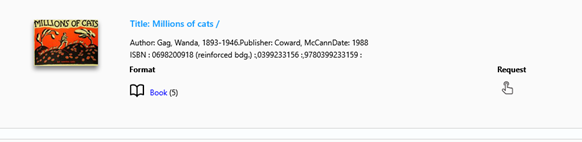
- If you’re not already logged in, you’ll be prompted to log in before your request can be placed.
- Confirm your request. You’ll receive confirmation that your request has been submitted.
Tip: If an item has multiple formats (like print, eBook, or audiobook), make sure to select the format you want before placing your request.
Reviewing Requests
- Log in and go to “Your Account.”
- Select “Items from Other Libraries” to see a list of your current and past SHAREit requests.
- From here, you can see the status of each request — for example, whether it’s still being located on its way to your library, or ready for pickup.
Changing Your Pickup Location
- Go to “Your Account” and locate the request you’d like to update.
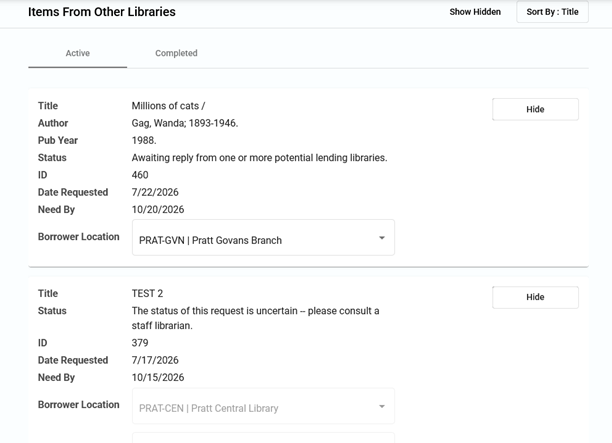
- Select the option to update your pickup location and then choose your preferred library location from the list.
Tip: Changing your pickup location will only be available before your item has shipped. If you don’t see this option, contact your library for help.
Canceling a Request
Requests cannot be canceled directly through your SHAREit customer account. To cancel a request, please contact your local library; they can cancel it for you.
Need More Help?
If you have any questions about using SHAREit, please contact your library branch; staff have been trained on the new platform and are ready to help you get the most out of it.